Support
Answers to the most common questions about Noise Map.
How do I measure the noise where I am?
Tap Measure on the map and hold your phone still for 30 seconds. You get the average and the peak level in dBA. The app only measures loudness and never records audio.
Why is my reading different from a sound meter?
Phones are not certified meters, so a reading is an estimate. For the best result, take the case off, keep the phone still and don't cover the microphone.
What does the estimated noise on the map mean?
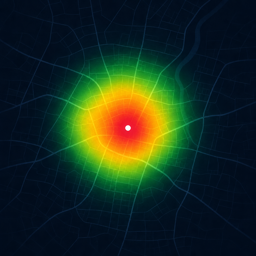
It comes from the U.S. Department of Transportation model of road, rail and plane noise. It is a yearly average for the area, not a reading at one address. Readings from people nearby show the noise right now.
Why don't I see planes?
Planes show when the map is zoomed in close enough. They come from a public live feed, so a plane can be missing or a few seconds late.
How do I get alerts for a place?
Open the area report for a place and tap Follow this place. Allow notifications when asked, and you will get an alert when someone reports new noise there. You can turn notifications off in iOS Settings.
Do sleep sounds keep playing when my screen is off?
Yes. Start a sound in the Sleep tab and lock your phone. It keeps playing until you stop it or the sleep timer ends.
How do I report a wrong or abusive report?
Open the report on the map and flag it. Reports flagged by several people are hidden.
How do I turn off location or the microphone?
Go to iOS Settings, then Noise Map, and change Location or Microphone. The map still works without them.
How do I delete my data?
Open Profile in the app and tap Delete my data. This removes your readings, reports and followed places from our servers.
Does Noise Map cost anything?
No. The app is free, with no purchases and no account.
More
Read our Privacy Policy and Terms of Use.